01Front & Rear Posts
Mounting Rails & Rack Units (U)
Vertical metal bars spaced 19 inches apart with numbered U markings. Square-hole rails accept snap-in cage nuts and tool-less server sliding rails.
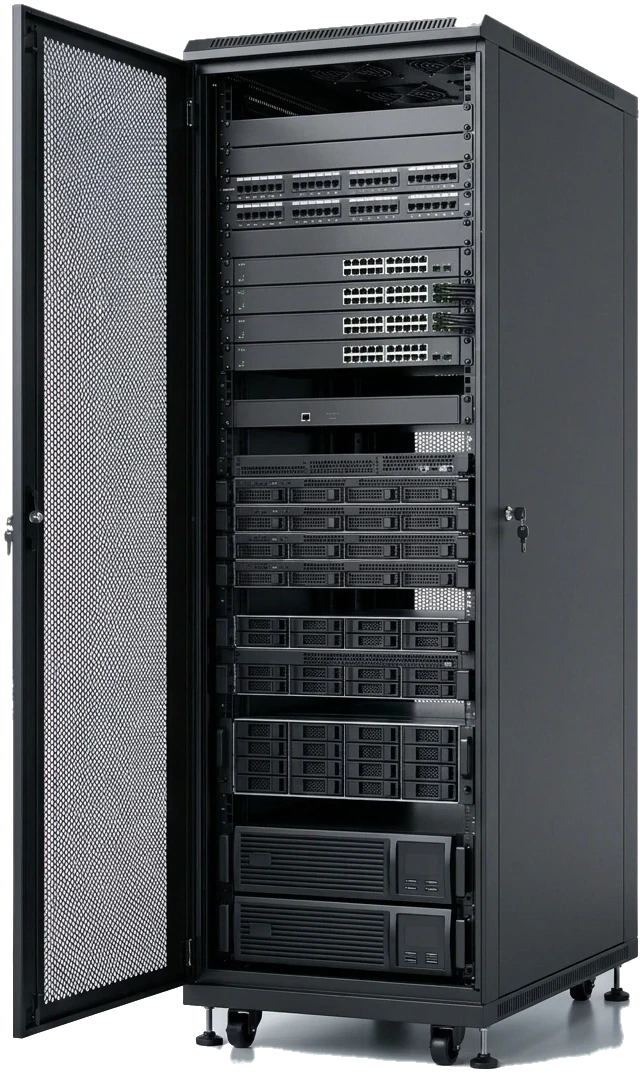
A server rack or cabinet is a standard metal frame that holds networking and server equipment safely and neatly in one place.
Most racks follow a universal 19-inch width standard so gear from any manufacturer bolts cleanly into the same frame. Height is measured in Rack Units, written as "U", where 1U equals 1.75 inches (44.45 mm). A thin network switch might take up 1U, while a tall storage server might take 4U.
A rack is NOT required to start a home lab. A mini PC, a normal tower computer and a small network switch work completely fine sitting on a sturdy desk or shelf. A rack becomes worthwhile once you own several rack-mountable devices and want tidy cabling, cleaner airflow and easier access.
If your entire home lab is a single mini PC or tower server plus a small switch, a ventilated shelf saves money and space. Choose a rack or cabinet once you have multiple rack-mount devices, wall cables ending at a patch panel, or heavy backup batteries that benefit from a dedicated frame.
Vertical metal bars spaced 19 inches apart with numbered U markings. Square-hole rails accept snap-in cage nuts and tool-less server sliding rails.
Small spring-steel nuts that clip into square rail holes so you can bolt switches, shelves and panels securely without stripping permanent threads.
Ventilated shelves hold non-rack gear like modems or mini PCs, while four-post sliding rails support heavy servers so they glide out for maintenance.
Perforated mesh doors or open sides let cool room air enter and warm exhaust air leave freely so hardware does not overheat.
Brush-lined openings and rear channels guide power cords and network cables cleanly without pinching wires or blocking airflow.
Rolling wheels help position an empty floor rack, and screw-down leveling feet lock it flat and steady once loaded.
A compact, shallow enclosure that bolts securely to wall studs or masonry. Ideal for small home labs holding a patch panel, router, network switch and lightweight shelves, though too shallow for full-depth rack servers.
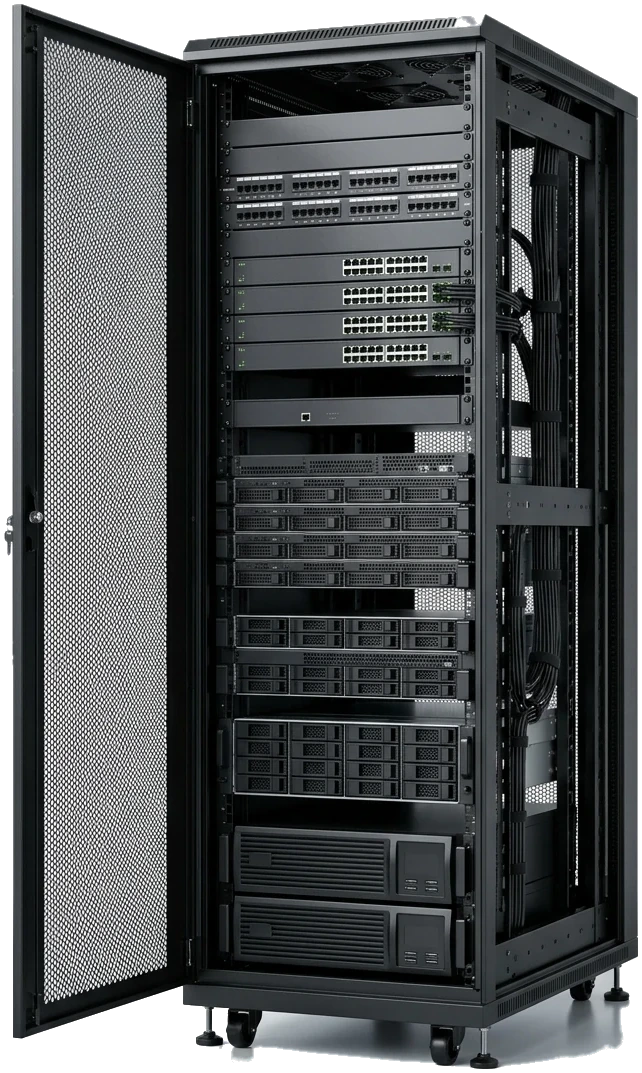
A sturdy steel frame with no doors or side panels. Costs less and gives effortless access from every angle for wiring and troubleshooting, making it great for a clean spare room or basement where noise and dust are already controlled.
A full-depth four-post cabinet with lockable side panels and perforated front and rear mesh doors. Quieter and tidier than an open frame, capable of holding deep servers, multi-bay storage and heavy bottom-mounted battery backups, provided it has proper ventilation.
A narrower, desktop-friendly mini rack built around a 10-inch width instead of 19 inches. Perfect for compact labs built from mini PCs, small managed switches, Raspberry Pis and compact patch panels.
| Option | Typical Size | Best For | Watch Out For |
|---|---|---|---|
| No Rack (Shelf or Desk) | Any sturdy shelf | Mini PCs, tower servers, starter labs | Keep space around vents so warm air can escape |
| 10-Inch Mini Rack | 4U to 12U, narrow | Mini PCs, small switches, compact desks | Will not fit standard 19-inch wide gear |
| Wall-Mount Cabinet | 6U to 12U, shallow | Patch panels, routers, switches, small labs | Too shallow for full-size rack servers; watch weight limits |
| Open-Frame 4-Post Rack | 12U to 42U | Dedicated rooms where easy access matters | No physical lock or sound dampening |
| Enclosed Floor Cabinet | 18U to 48U, deep | Growing labs with deep servers and storage | Needs mesh doors or fans so heat does not get trapped |
Measure the depth of your deepest server or switch and add at least 10 to 15 cm (4 to 6 inches) behind it for plugs and cable bends. Many network racks are too shallow for full-size servers.
Add up the U height of all your planned equipment, then add 20% to 30% extra room for airflow, cable managers and future upgrades.
Check both the rack weight limit and the strength of your floor or wall. Always bolt wall racks into solid studs or masonry, and always place heavy battery backups and storage at the very bottom.
Choose perforated mesh doors over solid glass if the cabinet holds servers, and pick square-hole rails with cage nuts so mounting hardware is universal.
Do not buy a giant floor-standing cabinet if you only plan to run a small router, switch and mini PC. Equally, do not buy a shallow 450 mm wall cabinet if you plan to install a 700 mm deep rack server later.
Verify your deepest server chassis plus rear power and network connectors fit cleanly inside the usable rail depth.
Battery backups are heavy. Mount them at the lowest rack units using four-post support rails, never by front ears alone.
Enclosed cabinets must have mesh doors or active intake and exhaust fans so heat never gets trapped inside.
Servers stick out the back or cables bend sharply against the rear door, causing damaged ports and blocked doors.
Warm exhaust air gets trapped inside, causing fans to scream and drives or power supplies to fail early.
Strains wall anchors and risks ripping the cabinet off the wall.
Front mounting tabs bend under weight; deep gear always needs four-post rails or a supported shelf.