01Drive Bays
CMR Hard Drives (Never SMR)
Always buy Conventional Magnetic Recording (CMR) NAS or enterprise drives. Avoid Shingled Magnetic Recording (SMR) drives, which overlap tracks and can crawl or fail during RAID rebuilds.
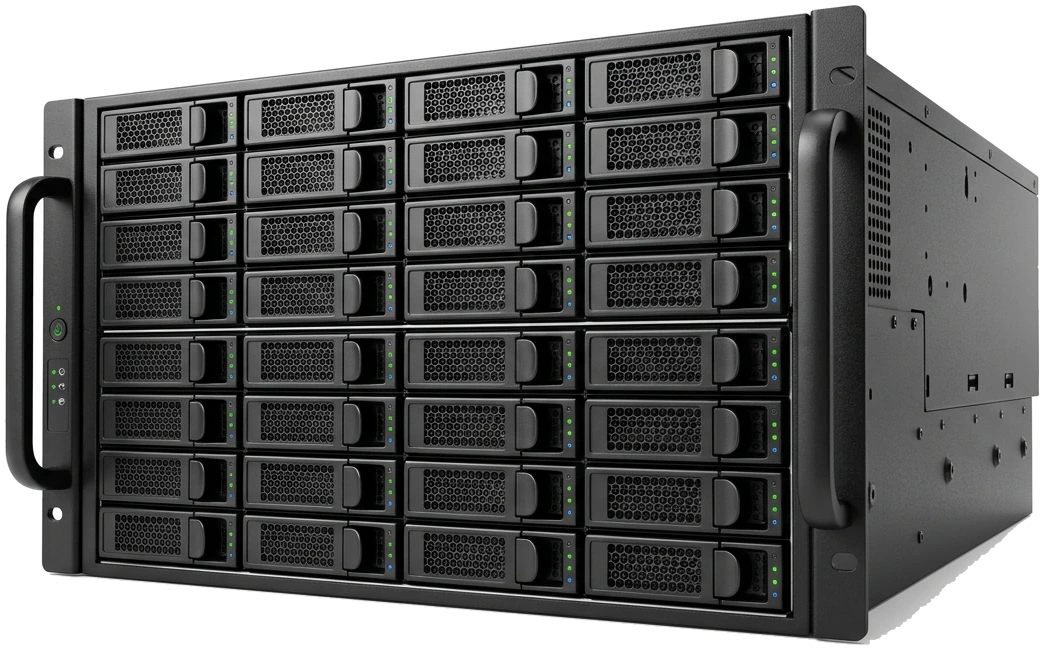
Network Attached Storage (NAS) is a shared file vault on your home network that stores photos, videos, documents and backups for all your phones and computers.
Your storage can live right inside your main server, or inside a separate dedicated NAS machine (either a ready-made NAS box or your own computer running free NAS software like TrueNAS or Linux with ZFS).
To protect against a hard drive suddenly dying, storage systems combine multiple drives using RAID (Redundant Array of Independent Disks: spreading or mirroring data across more than one drive so everything keeps working if a drive fails). Always pair drive redundancy with independent backups.
Drive mirroring (RAID) keeps your files online when a hard drive breaks mechanically. It does NOT protect you if you accidentally delete a folder, get hit by ransomware, suffer a power surge, or have a fire or theft. Snapshots saved on the same pool are not a separate backup either: you still need independent copies following the 3-2-1 backup rule.
Always buy Conventional Magnetic Recording (CMR) NAS or enterprise drives. Avoid Shingled Magnetic Recording (SMR) drives, which overlap tracks and can crawl or fail during RAID rebuilds.
Checks every piece of data with a digital fingerprint to detect and silently heal subtle data corruption ("bit rot") automatically.
Front trays let you slide out a broken drive cleanly. Put a small sticker showing the last digits of each drive’s serial number on the bay so you never pull the wrong healthy drive!
When connecting many drives to ZFS or TrueNAS, a plain pass-through HBA card lets the software talk directly to every single hard drive.
A 1 Gigabit connection tops out around 115 MB/s: slower than a single modern hard drive. A 2.5G or 10G link makes copying photos and backups dramatically faster.
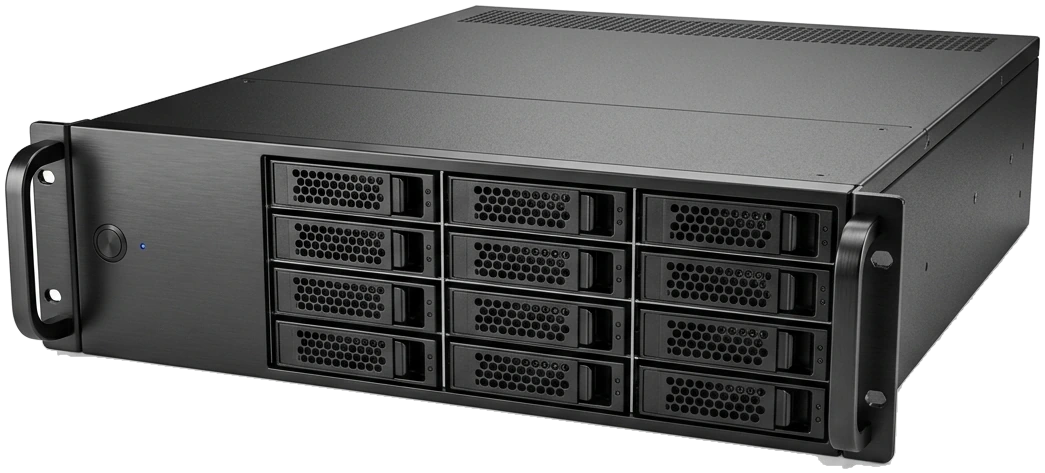
Keeps your family photos, files and backups completely separate from your main server experiments. Even when you reboot or tinker with your compute server, everyone’s files stay online.
Simpler, cheaper and uses less electricity because everything runs in one machine: a great fit when one server is enough and brief downtime during server updates is fine.
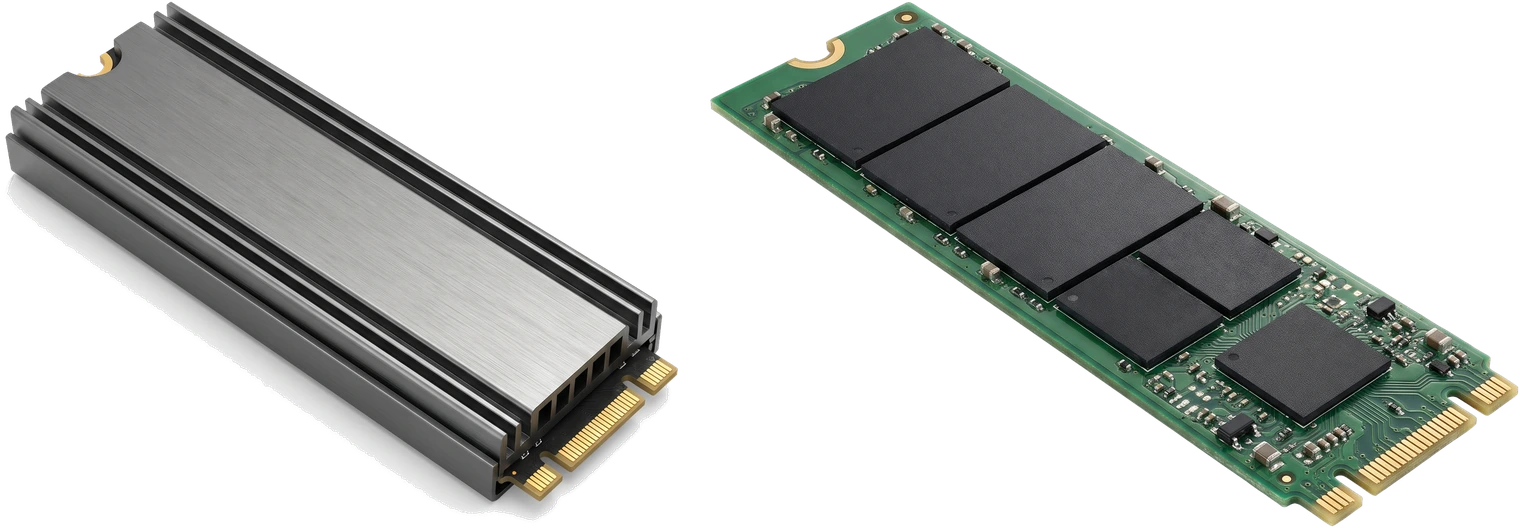
Uses mirrored NVMe or SATA solid-state drives for silent operation, tiny power draw and blazing speed: ideal for virtual machines, databases and smaller high-speed libraries.
| Setup Option | Choose This When |
|---|---|
| Storage inside main server | One computer is enough and short pauses during server reboots are acceptable |
| Dedicated separate NAS | You want family files rock-solid and separate from experiments, or you need more drive bays |
| Layout | Usable Space | Drives That Can Fail | Plain-English Advice |
|---|---|---|---|
| Single Drive | 100% | 0 (None) | Not acceptable for important data |
| Mirror (RAID 1) | 50% | 1 drive | Simple, very reliable, best choice for 2 drives |
| Striped Mirrors (RAID 10) | 50% | 1+ per mirror pair | Fast and quick to rebuild; great for virtual machines |
| RAID 5 / RAIDZ1 | Total minus 1 drive | 1 drive | Risky with huge drives because long rebuilds stress remaining disks |
| RAID 6 / RAIDZ2 | Total minus 2 drives | 2 drives at once | Best safe choice for arrays with 6 or more large drives |
Check the drive model’s official datasheet to confirm it uses Conventional Magnetic Recording (CMR). Never mix Shingled (SMR) drives into a RAID or ZFS array.
Count how much data you have today and estimate growth over the next three years: and keep pools under ~80% full so performance stays snappy.
Always reserve part of your storage budget for independent backups (an external offline drive, a second backup box or encrypted cloud backup) to satisfy the 3-2-1 rule.
Use ZFS or Btrfs when long-term file integrity matters so silent corruption is detected and repaired automatically during scheduled scrubs.
If your main server already runs NAS software cleanly and has enough drive bays, you do not need a second NAS box: UNLESS you intentionally want a second separate box as an independent backup target.
Count your SATA ports, check power supply spin-up amps for many HDDs, and use a pass-through HBA (not hardware RAID) for ZFS.
Always plug your NAS into a UPS with automated shutdown so a sudden power cut never corrupts files mid-write.
Deleting an important folder deletes it from every mirrored drive instantly.
Drive rebuilds can stall for days or drop out completely, risking total data loss.
Many people only discover their backup was empty or broken on the day they desperately need it.
Makes it dangerously easy to unplug the wrong healthy drive while replacing a broken one.