01Switch Front
2.5 Gigabit Ethernet Access Ports
Connect computers, wall sockets and modern Wi-Fi 6E or Wi-Fi 7 access points without creating a 1 Gigabit bottleneck.
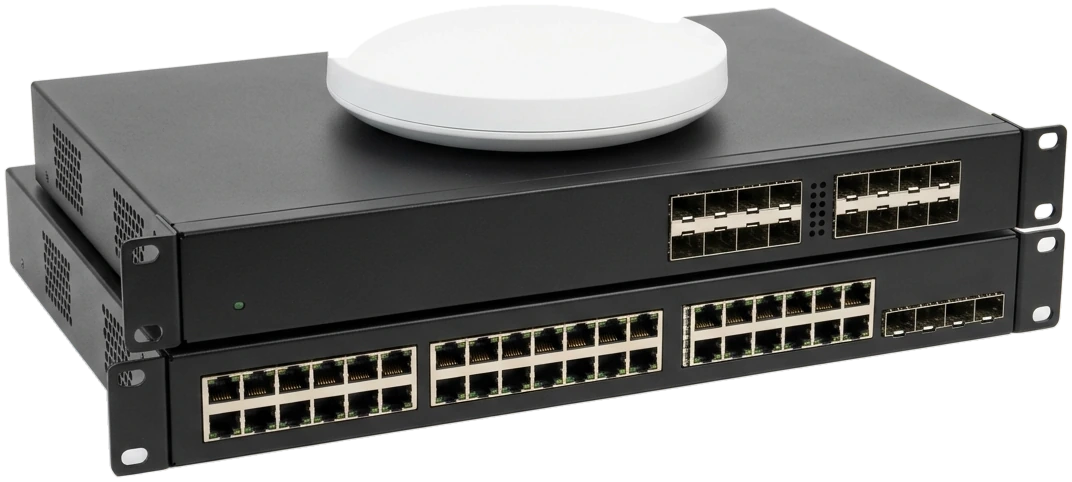
A network switch connects all your wired devices together so they can talk at full speed, while wired Wireless Access Points give your whole home reliable Wi-Fi.
A basic "unmanaged" switch only splits one cable into several sockets: it cannot separate devices or control traffic. A Managed Switch lets you create Virtual Local Area Networks (VLANs: separate private lanes on the same wires so smart home gadgets or guests cannot reach your personal computers), monitor ports and send electricity over network cables using Power over Ethernet (PoE).
Instead of relying on one consumer router tucked in a corner for Wi-Fi, a home lab uses dedicated Wireless Access Points (APs). Each access point plugs into your switch with an Ethernet cable (wired backhaul) and receives both data and power over that single wire, letting you place Wi-Fi right where people actually use it.
A switch advertised as "24-port PoE+" might only supply 250 watts of total power across all ports combined. Add up the watts needed by every Wi-Fi access point and camera, and check whether each device requires standard PoE (802.3af), PoE+ (802.3at) or high-power PoE++ (802.3bt).
Connect computers, wall sockets and modern Wi-Fi 6E or Wi-Fi 7 access points without creating a 1 Gigabit bottleneck.
Small modular slots that accept optical fibre or short Direct-Attach Copper (DAC) cables for fast 10 Gigabit links to your server and storage: running cooler and using less power than 10G copper.
Safely negotiates and delivers electrical power over normal Ethernet cables to power Wi-Fi access points and security cameras without needing wall power bricks.
Lets one switch carry separate networks (Management, Trusted, Servers, Smart Devices, Guest) and send multiple Wi-Fi networks to each access point.
Dedicated Wi-Fi transmitters mounted high and central, away from metal and thick walls. Several access points turned down to moderate power beat one single router blasting at maximum.
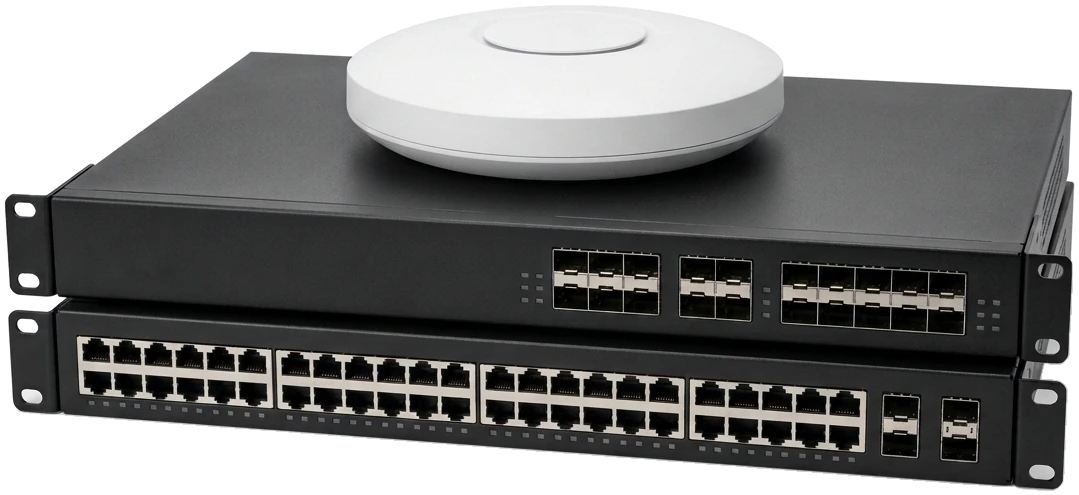
The sweet spot for a modern home lab: 2.5 Gigabit ports for fast computers and Wi-Fi access points, built-in Power over Ethernet, VLAN support and 10 Gigabit SFP+ slots to link your servers and storage.
A high-speed switch for larger labs with multiple servers and dedicated Network Attached Storage (NAS) that need 10 Gigabit links between every machine.
Mounts on a ceiling or wall, connects back to your switch with one Ethernet cable, and broadcasts separate Wi-Fi names mapped to your private VLANs (such as Home, Guest and Smart Devices).
| Standard | Speed | Cable for Full 100 m Run | Practical Note |
|---|---|---|---|
| 1000BASE-T | 1 Gbps | Cat5e | Basic baseline speed |
| 2.5GBASE-T (802.3bz) | 2.5 Gbps | Cat5e | Ideal for Wi-Fi 6E / Wi-Fi 7 access points and desktops |
| 5GBASE-T (802.3bz) | 5 Gbps | Cat6 (good Cat5e often works) | Stepping stone to 10G |
| 10GBASE-T (802.3an) | 10 Gbps | Cat6A | Cat6 reaches 10G only up to about 55 m |
| SFP+ (Fibre or DAC) | 10 Gbps | Optical fibre or short copper DAC | Uses less electricity and runs cooler than 10G copper |
| IEEE Standard | Type | Max Sent by Switch | Max Usable at Device | Typical Devices |
|---|---|---|---|---|
| 802.3af (PoE) | Type 1 | 15.4 W | 12.95 W | Desk phones, simple sensors, basic cameras |
| 802.3at (PoE+) | Type 2 | 30 W | 25.5 W | Most Wi-Fi access points, night-vision cameras |
| 802.3bt (PoE++) | Type 3 | 60 W | 51 W | High-power Wi-Fi 7 access points, pan-tilt-zoom cameras |
| 802.3bt (PoE++) | Type 4 | 90 W | 71.3 W | Very high-power specialised devices |
| Generation | Technical Name | Radio Bands | What Matters When Buying |
|---|---|---|---|
| Wi-Fi 5 | 802.11ac | 5 GHz | Too old to buy new today |
| Wi-Fi 6 | 802.11ax | 2.4 & 5 GHz | Handles many devices smoothly; supports WPA3 security |
| Wi-Fi 6E | 802.11ax | 2.4, 5 & 6 GHz | Adds clean 6 GHz band (WPA3 required); check country rules |
| Wi-Fi 7 | 802.11be | 2.4, 5 & 6 GHz | 320 MHz wide channels & Multi-Link; best with Wi-Fi 7 phones/laptops |
Many enterprise rack switches have tiny, loud cooling fans. Look for fanless or verified quiet models if your switch sits near a bedroom, living room or desk.
Wi-Fi 6E and Wi-Fi 7 use the 6 GHz radio band, whose availability depends on local government regulations. Verify 6 GHz is allowed where you live before paying extra for it.
Confirm the access points can link each Wi-Fi name (Main, Guest, Smart Devices) to its own VLAN, and decide if you are comfortable with any vendor controller software or cloud account required.
Some switch makers lock SFP+ plug-in modules to specific brands: check compatibility first, avoid hot 10GBASE-T copper modules when DAC or fibre works, and buy from vendors that release security updates.
If your managed switch already provides the right PoE type (such as PoE+ 802.3at) and enough total watt budget, you do not need separate power bricks or PoE injectors cluttering your setup.
A switch can power a device needing LESS power, but never one needing MORE. Check every AP’s exact PoE requirement and use pure copper cable for PoE.
Make sure the trunk cable between your router and switch carries matching VLAN IDs so devices land in the right network.
You cannot separate smart home devices, guests and servers into private VLANs.
Wireless relays cut available Wi-Fi speed and add lag; wired Ethernet backhaul to each AP is far faster and steadier.
Phones cling to a distant upstairs AP instead of roaming smoothly to the closer one.
A compromised smart bulb or guest phone could try to log into your core network switch.