01Inside Walls & Ceilings
Solid-Core Pure Copper In-Wall Cable (Cat6A)
Stiff, durable copper wire made to stay stationary inside walls and punch down into sockets: never crimped as a loose flexible cord.
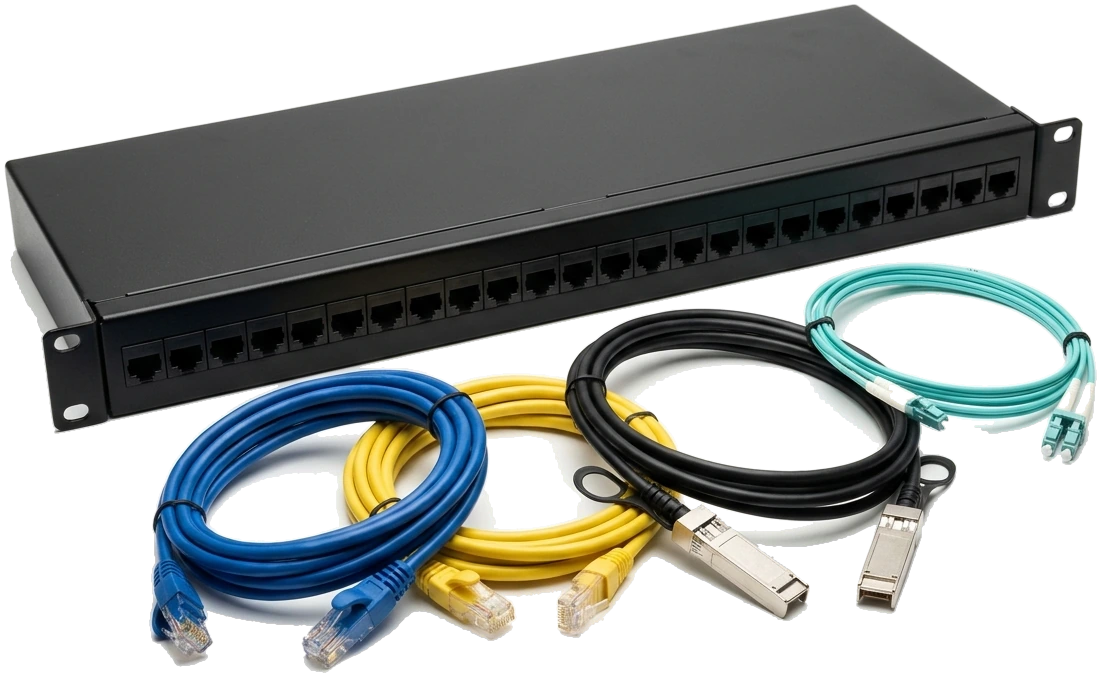
Cabling is the permanent road system of your home lab. Structured cabling runs solid cables neatly through walls and ends them at wall sockets and a patch panel so your devices plug in with short, easily replaced cords.
Instead of pushing fragile in-wall cables directly into a switch where bending can snap copper wires inside, permanent cables terminate on a Patch Panel (a tidy row of labelled network sockets). Short, factory-made flexible patch cords then bridge the patch panel straight into your network switch.
For any new in-wall network runs today, solid-core pure copper Cat6A cable is the recommended standard: it handles full 10 Gigabit speeds up to 100 metres and runs cooler when carrying Power over Ethernet (PoE) to Wi-Fi access points and cameras.
Cheap cables marked "CCA" (Copper-Clad Aluminium) coat aluminium wire in a thin layer of copper. Aluminium has higher electrical resistance, snaps easily when bent, runs dangerously hot under Power over Ethernet (PoE) and fails network standards. Always verify the box says 100% solid bare copper.
Stiff, durable copper wire made to stay stationary inside walls and punch down into sockets: never crimped as a loose flexible cord.
Matching Cat6A sockets where each permanent wall run terminates cleanly so every room has a neat numbered port.
Flexible, factory-tested short cords with stranded copper wire inside designed to bend repeatedly without breaking.
Pre-built 10 Gigabit twinax cables with SFP+ plugs molded on both ends: the cheapest, coolest, lowest-power way to link a switch and server sitting next to each other.
Carries data using pulses of light over thin glass strands. Immune to electrical interference and ideal for runs between buildings or long 10G+ links.
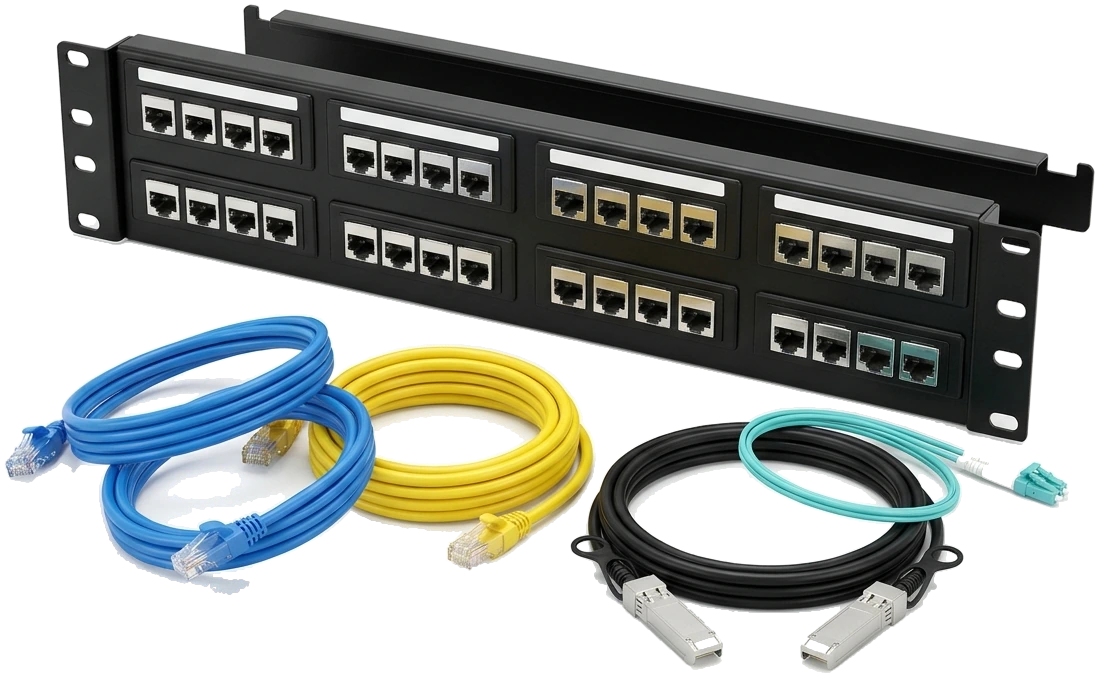
Supports full 10 Gigabit Ethernet up to 100 metres (90 m permanent wall run + 10 m patch cords) and handles Power over Ethernet heat better than thinner cables.
Simple plug-and-play cable for short 0.5 m to 3 m 10 Gigabit connections between your switch, server and storage right next to each other.
Use OM3 or OM4 multimode fibre for shorter indoor runs, and OS2 single-mode fibre for long distances or links between separate buildings. Always match the plug-in light transceivers to the exact fibre type.
| Category | Speed & Distance | Recommendation |
|---|---|---|
| Cat5e | Up to 2.5 Gbps over 100 m | Fine if already in your walls; do not buy for new runs |
| Cat6 | 5 Gbps at 100 m; 10 Gbps only up to ~55 m | Acceptable for short runs |
| Cat6A | Full 10 Gbps at 100 m; handles PoE heat best | Recommended for all new permanent cable runs |
Avoid Copper-Clad Aluminium (CCA) completely. Pure solid copper for permanent wall runs, and factory-made stranded copper for flexible patch cords.
Choose the proper outer jacket fire rating (such as Riser, Plenum or Low-Smoke Zero-Halogen / LSZH) required by local building regulations where the cable runs.
For most homes, quality unshielded Cat6A is simpler and works great. Shielded cable helps in electrically noisy environments, but only works properly if grounded correctly.
Standard Ethernet channels top out at 100 metres total (90 m permanent wall run plus up to 10 m of patch cords). Label BOTH ends of every cable before you close up walls.
Factory-made patch cords are tested by machine, cost very little and rarely fail. Only buy crimpers or punch-down tools if you are terminating permanent in-wall cables onto keystone jacks and a patch panel.
Use Cat6A jacks with Cat6A cable so the entire link qualifies for 10 Gigabit speeds, and follow one wiring standard (T568A or T568B) consistently on both ends.
Match multimode transceivers to OM3/OM4 fibre and single-mode transceivers to OS2 fibre, and verify the switch accepts those modules.
Breaks easily, causes random dropouts and overheats when powering Wi-Fi access points.
Turns every future change or repair into frustrating guesswork.
Crushes the carefully twisted copper pairs inside and degrades network speed.
Picks up electrical noise and violates wiring safety rules.