STAGE F: SECURE, TEST AND MAINTAIN · STEP 17 OF 19REQUIRED

Step 17: Implement Security and Safe Remote Access

Harden every login with unique passwords and multi-factor authentication, keep admin pages strictly private, and reach your lab from anywhere over an encrypted VPN.

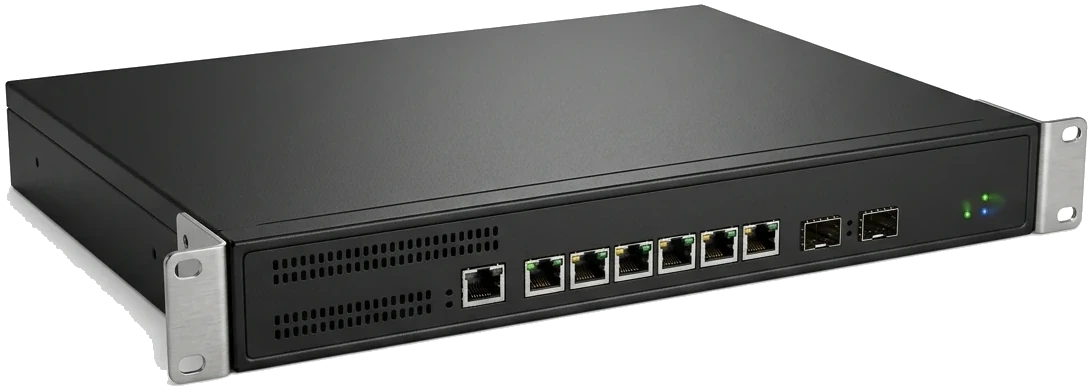
Firewall and encrypted VPN gateway protecting home lab remote access

Step-by-Step Instructions

  1. Lock down every device with strong baseline security

    Verify every default password has been changed to a unique password saved in your password manager. Turn on Multi-Factor Authentication (MFA / 2FA) on admin panels and important services, keep all admin consoles on VLAN 10, disable UPnP, use SSH keys, and set a monthly update reminder.

  2. Set up remote access in the safest order of preference

    1) Best choice (if you have a public IP): run an encrypted Virtual Private Network (VPN, such as WireGuard) directly on your firewall and reach your apps privately through that tunnel. 2) Best choice under CGNAT (shared ISP IP): use an encrypted overlay/mesh VPN service that connects outbound without opening any firewall ports. 3) Only expose a service directly to the public internet when genuinely required: behind a reverse proxy with valid HTTPS, strong authentication, rate limiting and fast security patching.

  3. Test remote access from a phone on cellular data

    Turn Wi-Fi OFF on your phone so it is genuinely outside your house, connect your VPN tunnel, and confirm you can safely reach your home lab apps. Also scan your home IP from outside to confirm no unexpected ports respond.

NEVER EXPOSE

Never Expose Management Interfaces to the Public Internet

Never forward public internet ports to your hypervisor (Proxmox), firewall, managed switch or NAS administration login pages.

  • Every service exposed directly to the public internet is scanned by automated bots within minutes.
  • Any exposed app becomes your permanent responsibility to patch immediately whenever security flaws are announced.
  • An encrypted VPN lets you access EVERYTHING safely from anywhere while keeping your home completely invisible to outsiders.

Important Warnings & Precautions

  • Never forward public ports to admin panels (firewall, switch, Proxmox, TrueNAS or SSH).
  • Never reuse passwords across services, and always store MFA recovery codes offline.

Step 17 Completion Checklist

Confirm every item below before moving to the next step:

  • All default logins changed; MFA enabled on admin consoles and key services.
  • Zero admin interfaces exposed to the outside internet.
  • Encrypted VPN tested successfully from a phone on cellular data.
  • External scan confirms only intentionally allowed ports (if any) respond.

Relevant Equipment in This Step

Open any equipment page to review its parts, types and compatibility:

Relevant Tools for This Step